
This is a biggie… a great number of new data sources is now supported for data refresh via a Power BI Gateway. Please follow this link for details. SAP Business Objects is not yet supported. I am particularly impressed with ability to refresh from folder (please note, only CSV files are supported, a folder full … Continue reading Teradata, DB2, Folder and Many Others Now Supported via Power Query in Power BI Gateway
Category: Power BI
Funnel Chart in Power BI
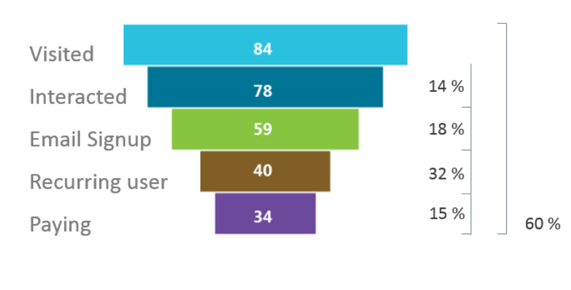
Rumor has it, Microsoft is working on delivering lots more visualization options. Visit this link to take a survey about the Funnel Chart for Power BI.
Power BI Gateway Now Supports SharePoint Online Document Library
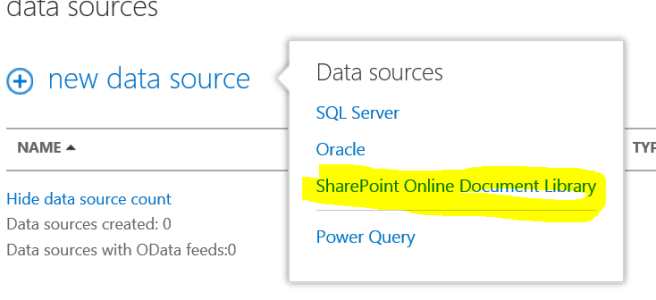
Looks like we now have four types of data sources supported by the Power BI Gateway. Please follow this link for details.
How to Use Pictures in Your Power BI Power View Dashboards

If you used pictures in your Power View dashboards and tried to deploy these dashboards in your Power BI tenant you are likely to have seen the following warning message: "UNSUPPORTED FEATURES External pictures can't be displayed in Power View Sheets in Office 365". My guess it's only a matter of time when external pictures … Continue reading How to Use Pictures in Your Power BI Power View Dashboards
New Features of Power BI Demoed at WPC 14
(Image twitted by Naomi Moneypenny here) Some of the new features that we have been waiting for a long time have been demoed on the Day 1 of WPC 2014 in Washington DC. Although the demo was very brief, we were able to see new types of visualizations such as heat/tree maps, gauges, funnels, etc. … Continue reading New Features of Power BI Demoed at WPC 14
HTML5 Engine for PowerView Getting More Updates
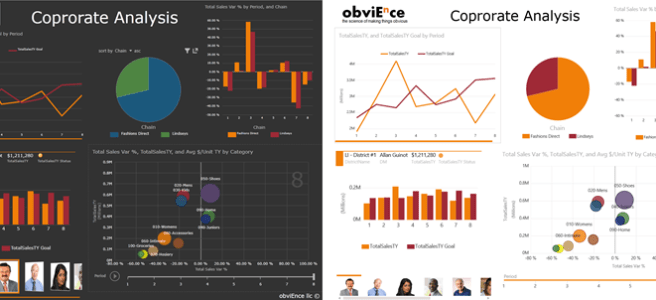
I am very excited to report that as of few days ago, the HTML5 engine for Power View has closed some major gaps with the Silverlight Power View engine. In February of this year I wrote a post comparing various Power View artifacts between Silverlight, HTML5 and Power BI Windows 8 App. At the time, … Continue reading HTML5 Engine for PowerView Getting More Updates
Date Management Gateway Now Supports Refresh from Power Query
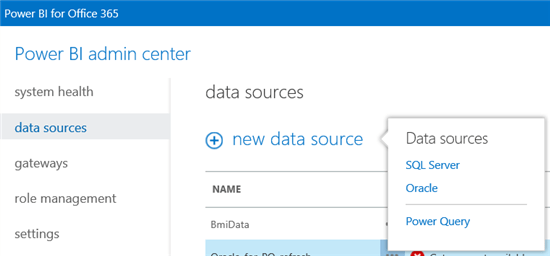
Time for another correction… A couple of months ago I wrote a post about how to load data into a Power Pivot model using Power Query. As I was writing it, I was very excited about being able to decouple my Power Pivot models from physical data by using Power Query. Unfortunately, at a time, … Continue reading Date Management Gateway Now Supports Refresh from Power Query
Power View HTML5 Now Supports Maps
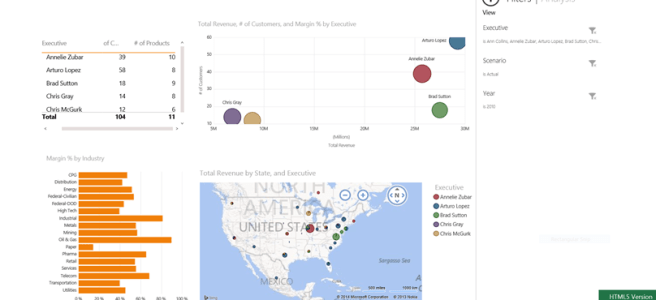
Just a few months ago I wrote a post about what Power View features were supported by Silverlight and HTML5 versions of the product. Today I had to make some corrections, as Maps are now supported in HTML5. The Power BI application for Windows 8 still does not render the map (or the scatter … Continue reading Power View HTML5 Now Supports Maps
April Update for Power Map Adds Audio, Clears Confusion
On April 18 Power Map got updated, although if you have a Click-to-Run installed version of Office 365 Pro, you would never know it since these updates are pushed automatically. Here is a link describing the new features, other than some cosmetic updates, ability to add audio to a tour is probably one of the … Continue reading April Update for Power Map Adds Audio, Clears Confusion
Support of Power BI across various versions of Microsoft Office
In this post I wanted to address several general confusions about Power BI and Microsoft Office. Sometimes I wonder if these confusions have been engineered by design or whether they occurred serendipitously… The most important point to understand is that Power BI is intended to be bundled with the Office 365 Pro version of the … Continue reading Support of Power BI across various versions of Microsoft Office
 business intelligist