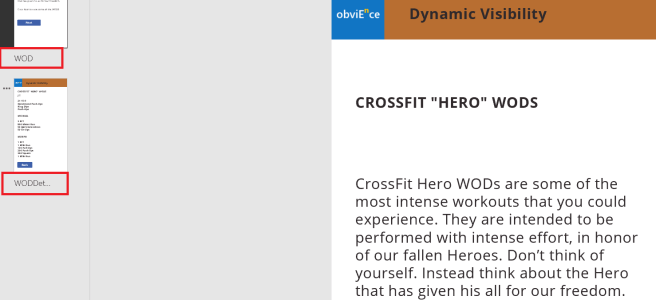
PowerApps – Navigate between screens

An app typically has more than one screen and we need the capability to navigate it. PowerApps has two functions, Navigate and Back that helps with navigation. Let's check out how these functions work. Download the App from here. Select Next button on the WOD screen. From the properties section pick OnSelect. Notice the formula: Navigate(WODDetails,ScreenTransition.Fade) Here is what … Continue reading PowerApps – Navigate between screens

Analyze Weather in Power BI

obviEnce published it's first Services App on Power BI. The app provides temperature and precipitation trends over the last 30 days across USA and Canada. The app will enhance your dataset by allowing you to analyze impact of weather on your business. Here is a snapshot of the dashboard.

Connecting to SAP BW using Power BI Desktop

Today I connected to SAP BW using the connector available in Power BI Desktop. Following link does a good job explaining the steps: https://powerbi.microsoft.com/en-us/documentation/powerbi-desktop-sap-bw-connector/ Ran into a road block while installing SAP Netweaver RFC SDK library. With the help of bases team I downloaded SAP Netweaver SDK library. However there is no explanation as to where/how this … Continue reading Connecting to SAP BW using Power BI Desktop

PowerApps Common Data Service Connector

Here is how to get PowerApps Common Data Service Connector working. Note: You need to have Admin rights to Enable Power BI Integration Login to https://web.powerapps.com On the top right corner click on Settings (gear icon) Select Admin Center Select the environment you want to enable Select Database from the top menu Select Enable Now we … Continue reading PowerApps Common Data Service Connector

Scaling Azure Data Warehouse using Azure WebJobs Scheduler

Following link looks into various options available to scale compute power in Azure SQL Data Warehouse. Next question that one would ask is, how do I automate the capability to scale the compute power. In this article, I answer the question using Azure WebJobs. Azure WebJobs provide an easy way to run scripts or programs … Continue reading Scaling Azure Data Warehouse using Azure WebJobs Scheduler

How to Publish Azure Data Factory Artifacts

Azure Data Factory artifacts can be edited and deployed using the Azure portal. However, as an enterprise solution, one would want the capability to edit and publish these artifacts using Visual Studio. Let’s check are options available to publish using Visual Studio. Assuming you have the created a Data Factory project in Visual Studio and … Continue reading How to Publish Azure Data Factory Artifacts

Power BI Tutorial: Dynamically update Date slicer to show Current Date

Here is a common requirement that I have come across: “I want the Date slicer to automatically select current date without me having to manually change the slicer”. Here is a way to do that. We have a Power BI Desktop report that was created on April 10th 2016. When the report was created, we … Continue reading Power BI Tutorial: Dynamically update Date slicer to show Current Date