
This comes up a lot so I wanted to make a quick check list of steps necessary to run SQL Server Analysis Services in Azure and expose it as a data set in Power BI. Create a new VM in Azure Join the new VM to your corporate domain (may require networking configuration and VPN … Continue reading Check List for Running Analysis Services in Azure for Power BI
Waterfall Charts in Microsoft Power BI
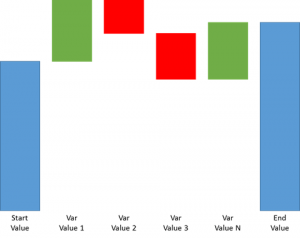
As you may have already noticed, Microsoft introduced a couple of new visualizations in powerbi.com yesterday. One new type that I am particularly excited about is a waterfall chart. Normally, when I think of a waterfall chart I am thinking of something like the chart above. You can see blue bars representing begging and end … Continue reading Waterfall Charts in Microsoft Power BI
Formatting and Group Collaboration is FINALLY(!!!) available in PowerBI.com
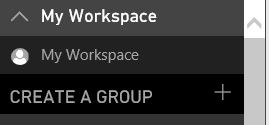
Other than formatting, group collaboration may have been one of the features that we all needed the most and now it is finally here. Click on the down arrow next to My Workspace and you will see an option to create a new group. And now the big one – formatting is here as well!!!
Content Packs Can Now Be Created in PowerBI.com
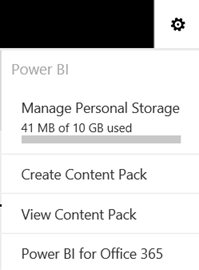
Click on a Gear box in the top right to get an option to create a new Content Pack or view the existing ones. Content packs are a way to deploy existing Power BI content (Dashboards, Reports, Dataset) in a read only fashion. All you have to do is specify who will have access to … Continue reading Content Packs Can Now Be Created in PowerBI.com
How to Track / Analyze Q&A Usage in Power BI
Please follow the following steps if you would like to see what questions are being asked in Power Q&A: 1. Go into your Power BI App (if you don't have the shortcut handy you can click on the Gear icon on the top right->Site Contents->Power BI and then 2. Click on the Gear icon again … Continue reading How to Track / Analyze Q&A Usage in Power BI
Microsoft Added Formatting to Q&A so I wrote a quick Power Q&A Tutorial
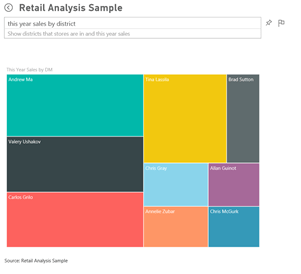
Microsoft Power BI team has released a lot of new features to http://app.powerbi.com including lots of formatting enhancements for Q&A (please follow this link for additional details http://blogs.msdn.com/b/powerbi/archive/2015/07/15/new-capabilities-added-to-power-bi.aspx ) In this post I wanted to show you how you might get started on Power Q&A using the Retail Analysis Sample that is currently available in … Continue reading Microsoft Added Formatting to Q&A so I wrote a quick Power Q&A Tutorial
Power BI Now Supports Refresh for Designer-built Datasets
Refresh has been a bit of an issue with Power BI. The "old" version of Power BI bundled with Office 365 supports refreshing Power Pivot models against a lot of different data source types using the Power BI Gateway. The "new" version at PowerBI.com until recently only supported refresh of Power Pivot models and only … Continue reading Power BI Now Supports Refresh for Designer-built Datasets
Power BI Tutorial: UnPivot Feature
It's common that data is laid out across columns in Excel for reporting purposes. E.g. Revenue for each product is laid out across the columns in excel for each month. However this may not work well as a data source. Power Query provides Unpivot option to solve this issue. Sample workbook can be downloaded here. … Continue reading Power BI Tutorial: UnPivot Feature
Power BI Tutorial: How to Parameterize Connection Variables in Power Query
While migrating a power query solution across environments (Dev to UAT to Prod) changing connection variables for each power query is a tedious task. Here is a way to make the connection variable dynamic. The sample here has two power queries connecting to SQL server source. Create an excel table and call it Parameter with … Continue reading Power BI Tutorial: How to Parameterize Connection Variables in Power Query
ConcatenateX() function is now available in the latest version of Power BI Designer
This is a huge win for those of us who try to use Power BI for market basket analysis. Here is a the link to documentation https://support.office.com/en-us/article/CONCATENATEX-Function-DAX-ae3ba882-c260-4a56-82d1-70ee66451b39 The tutorial on how to use this function for market basket analysis will be available shortly.
 business intelligist