
Worked with @nnarasimha to create a mobile app which embeds Power BI tiles in it. Code can be downloaded from Github https://github.com/nikilprabhakar/Integrating-PowerBI-Tile-in-a-mobile-app
Category: Power BI
Power BI Tutorial: Dynamically update Date slicer to show Current Date
Here is a common requirement that I have come across: “I want the Date slicer to automatically select current date without me having to manually change the slicer”. Here is a way to do that. We have a Power BI Desktop report that was created on April 10th 2016. When the report was created, we … Continue reading Power BI Tutorial: Dynamically update Date slicer to show Current Date
Security Feature Has Been Released for Power BI
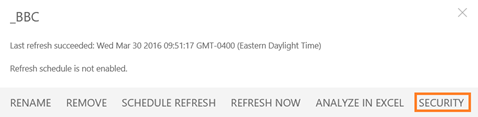
One of the most anticipated features that we all have been waiting for has now been finally released in Power BI by Microsoft. After a dataset has been published to Power BI, it can now be secured. This feature is still in preview and is a little bit rough around the edges as it … Continue reading Security Feature Has Been Released for Power BI
Tableau Stock Implodes, Microsoft Recognized by Gartner for Its Vision in Analytics… and a Few Other Things That Happened This Week
This has been an interesting week for BI/Analytics industry. Lots of things happened; some of them were good and some bad… The most surprising news thus far, at least for me, was what happened with Tableau's stock. After its quarterly results were announced, the stock plummeted 50% (despite the fact that the company beat quarterly … Continue reading Tableau Stock Implodes, Microsoft Recognized by Gartner for Its Vision in Analytics… and a Few Other Things That Happened This Week
More Robust Tile Pinning to Dashboards Introduced in Last Power BI Service Update

Microsoft is making pinning a tile to a dashboard more user friendly with its last weekly Power BI service update. It was not always apparent what dashboard the tile would be pinned to; therefore, the dialog box above will make it much clearer to a user. More details for the weekly update are available here. … Continue reading More Robust Tile Pinning to Dashboards Introduced in Last Power BI Service Update
Power BI Desktop : Merge Query Options
In Power BI Desktop, there are multiple options available when using Merge Query feature. This tutorial reviews each of the options. Data for the tutorial can be obtained by downloading Excel file from here . The file has Product sheet which has details of all the products my company sells The file also has a … Continue reading Power BI Desktop : Merge Query Options
Drilldown is back in Power BI
Well…. Almost back… It has not yet made it back in Power BI Desktop but as of two days ago, charts in Power BI service support the ability to drilldown. In order to make charts drillable, all you need to do is to drag additional attributes into the Axis section of a chart as demonstrated … Continue reading Drilldown is back in Power BI
Enabling Power View in Excel 2016
In Excel 2016, click on File -> Options -> Add-Ins From the drop down select COM Add-ins and select Go… In COM Add-Ins dialogue, if Power View for Excel is not selected, select the check box and click OK Notice that enabling the Add-In does not provide the ability to create a Power View report … Continue reading Enabling Power View in Excel 2016
POWER BI TUTORIAL : HOW TO SURFACE EXCEL REPORTS IN POWER BI SERVICE
There are a couple of options to surface Excel Reports in Power BI Service. Download the sample file to OneDrive. The file contains a PivotTable report and a Power View report. Sign into PowerBI.com and from the left panel click on Get Data From the Get Data screen, click on Get button under Files section … Continue reading POWER BI TUTORIAL : HOW TO SURFACE EXCEL REPORTS IN POWER BI SERVICE
Power BI Tutorial: Transform data from folder data source
Data for the tutorial can be obtained by downloading CSV files from: https://www.census.gov/popest/data/intercensal/state/ST-EST00INT-02.html For the tutorial I downloaded data for Alabama, Alaska and Arizona into a folder. Open the CSV files, and notice that all of them have the same layout. In this tutorial we are going to: Read data from the folder data source … Continue reading Power BI Tutorial: Transform data from folder data source
 business intelligist