
This is an off-topic post that will not talk about BI at all.Yesterday, I wrote a quick post about using the Earlier() DAX function to generate an index column in Power Pivot. There is nothing earthshattering in that post; the reason I decided to write it was because I tried to do a web search on the … Continue reading Bing vs. Google
Adding an Index Column to a Power Pivot Model using EARLIER() DAX Function
This post will be a little bit atypical compared to what I normally write about. I usually don't focus on topics like the one described below because there are plenty of other blogs that cover developer specific issues related to using DAX. However, I ran into an issue few days ago, could not find a … Continue reading Adding an Index Column to a Power Pivot Model using EARLIER() DAX Function
Power BI Gateway Now Supports SharePoint Online Document Library
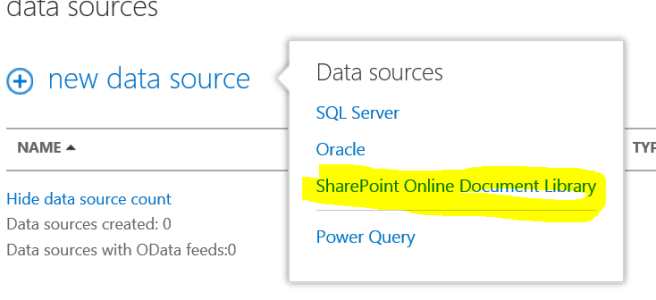
Looks like we now have four types of data sources supported by the Power BI Gateway. Please follow this link for details.
How to Use Pictures in Your Power BI Power View Dashboards

If you used pictures in your Power View dashboards and tried to deploy these dashboards in your Power BI tenant you are likely to have seen the following warning message: "UNSUPPORTED FEATURES External pictures can't be displayed in Power View Sheets in Office 365". My guess it's only a matter of time when external pictures … Continue reading How to Use Pictures in Your Power BI Power View Dashboards
New Features of Power BI Demoed at WPC 14
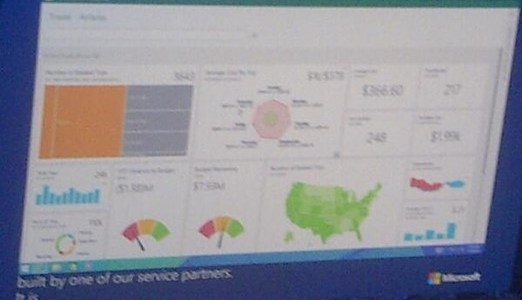
(Image twitted by Naomi Moneypenny here) Some of the new features that we have been waiting for a long time have been demoed on the Day 1 of WPC 2014 in Washington DC. Although the demo was very brief, we were able to see new types of visualizations such as heat/tree maps, gauges, funnels, etc. … Continue reading New Features of Power BI Demoed at WPC 14
HTML5 Engine for PowerView Getting More Updates
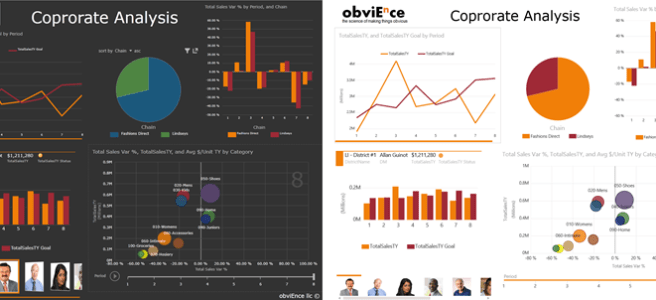
I am very excited to report that as of few days ago, the HTML5 engine for Power View has closed some major gaps with the Silverlight Power View engine. In February of this year I wrote a post comparing various Power View artifacts between Silverlight, HTML5 and Power BI Windows 8 App. At the time, … Continue reading HTML5 Engine for PowerView Getting More Updates
SQL Server Data Tools (SSDT-BI) for Visual Studio 2013 are back and available for download
SSDT-BI were down for almost a month after the release of the SQL Server 2014 causing a lot of frustration to the end users who were trying to develop BI solutions using Visual Studio 2013. No point of getting into the reasons why, let's just take a deep breath and download the latest version here … Continue reading SQL Server Data Tools (SSDT-BI) for Visual Studio 2013 are back and available for download
How to restore your MDS database on a different domain/server and fix the “Access Denied” error
This has happened to me a few times now and every single time I had to spend quite a bit of time sifting through the blogs looking for answers. So I finally decided to document it for myself here. These are the steps: Go ahead and restore the MDS database on the server of your … Continue reading How to restore your MDS database on a different domain/server and fix the “Access Denied” error
Date Management Gateway Now Supports Refresh from Power Query
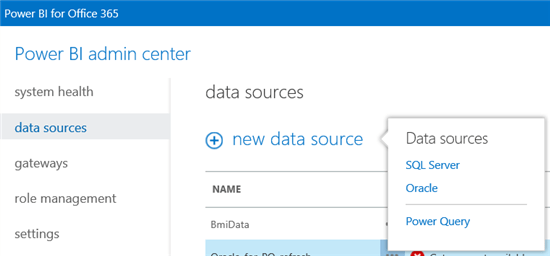
Time for another correction… A couple of months ago I wrote a post about how to load data into a Power Pivot model using Power Query. As I was writing it, I was very excited about being able to decouple my Power Pivot models from physical data by using Power Query. Unfortunately, at a time, … Continue reading Date Management Gateway Now Supports Refresh from Power Query
Power View HTML5 Now Supports Maps
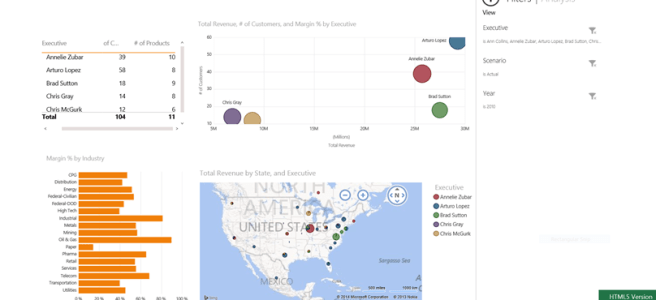
Just a few months ago I wrote a post about what Power View features were supported by Silverlight and HTML5 versions of the product. Today I had to make some corrections, as Maps are now supported in HTML5. The Power BI application for Windows 8 still does not render the map (or the scatter … Continue reading Power View HTML5 Now Supports Maps
 business intelligist